Developer Guides
How to Use Cloudflare Clef: A Practical API Tutorial
Learn how to use Cloudflare Clef with REST and Workers AI, typed decision schemas, confidence thresholds, image inputs, pricing, and rollout checks.
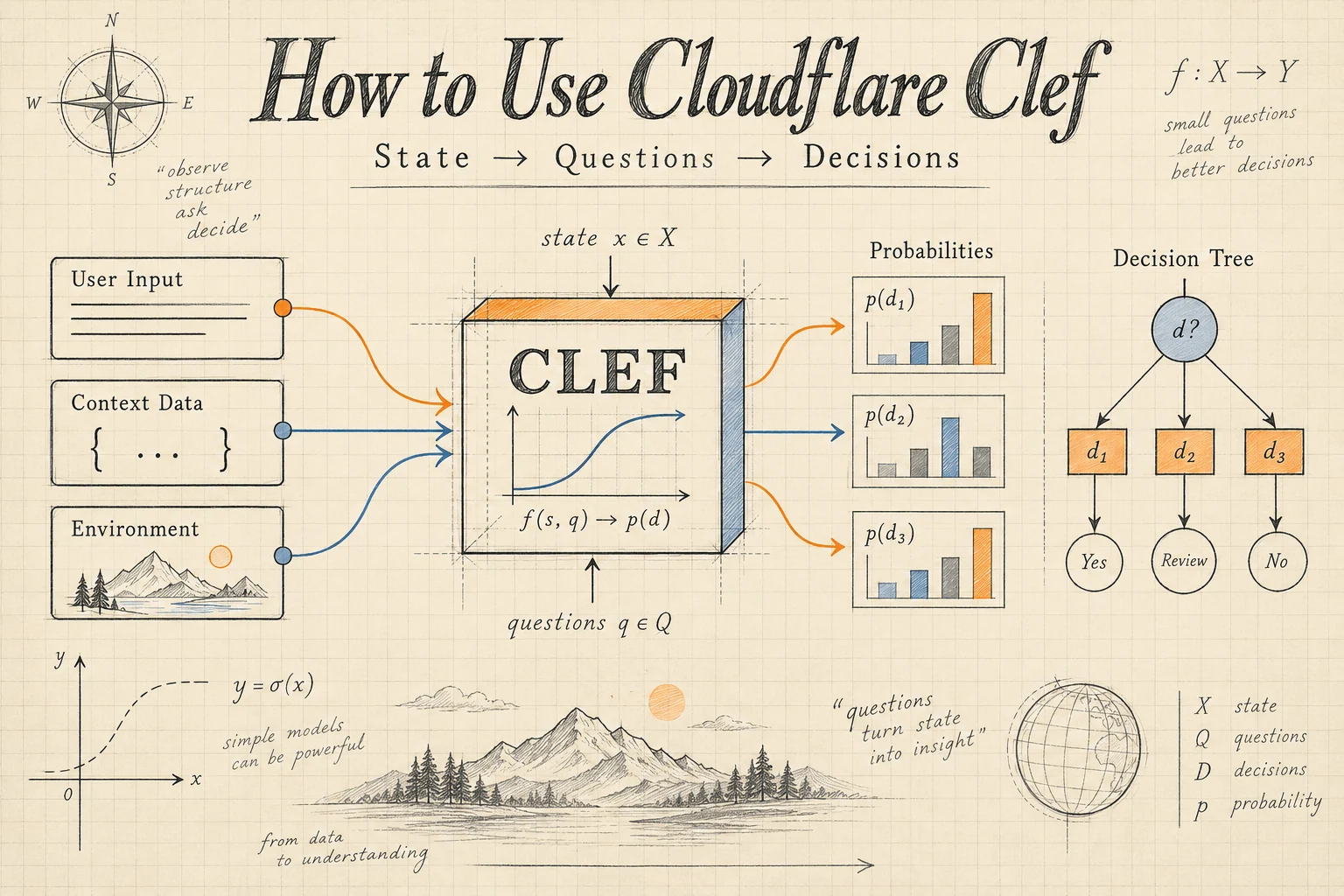
To use Cloudflare Clef, send application evidence in state, define typed questions in questions, and call @cf/cloudflare/clef through Workers AI. Read the returned probabilities, then apply your own rules to select an action. You can start with REST and move the same decision payload into a Cloudflare Worker.
Clef is a 27B multimodal decision model. It is useful when software needs judgments over predefined options: which queue owns a ticket, whether evidence indicates an outage, or how severe an interruption appears. The official model reference documents the hosted interface.
This tutorial builds a support-routing example from schema design through rollout. Documentation and prices were checked on October 3, 2026. Code examples were checked against the published contracts; they were not executed against a live inference account. All example probabilities are synthetic.
Table of contents
- Choose a decision worth modeling
- Build the state and question schema
- Call the Cloudflare Clef REST API
- Read the response correctly
- Use Clef inside a Cloudflare Worker
- Set thresholds using your own evidence
- Add images and understand self-hosting
- Estimate Cloudflare Clef costs
- Fix common integration mistakes
- Evaluate and roll out the workflow
- Frequently asked questions
Choose a decision worth modeling
Start with a narrow action that already has an owner and a measurable outcome. In this example, the application must route a support ticket to accounts, billing, or review. A correct result means the receiving team can handle the issue without transferring it elsewhere.
Write that definition before writing a prompt. “Understand the customer” is too broad to evaluate. “Identify the team responsible for the primary unresolved issue” gives reviewers a concrete task.
Some decisions need no model. If a stored subscription status determines a feature entitlement, use a database lookup. If an invoice crosses a fixed threshold, compare numbers in code. Reserve Clef for interpreting evidence whose meaning cannot be captured reliably by a straightforward rule.
Keep the selected route separate from execution privileges. A classification of billing can open a billing queue; it should not by itself approve a refund. Our Cloudflare Clef overview provides additional context for this division of responsibilities.
For agent applications, write down the destinations before choosing the model. The model and tool routing workflow is a useful companion when a decision selects a tool or another model rather than a support team.
Build the state and question schema
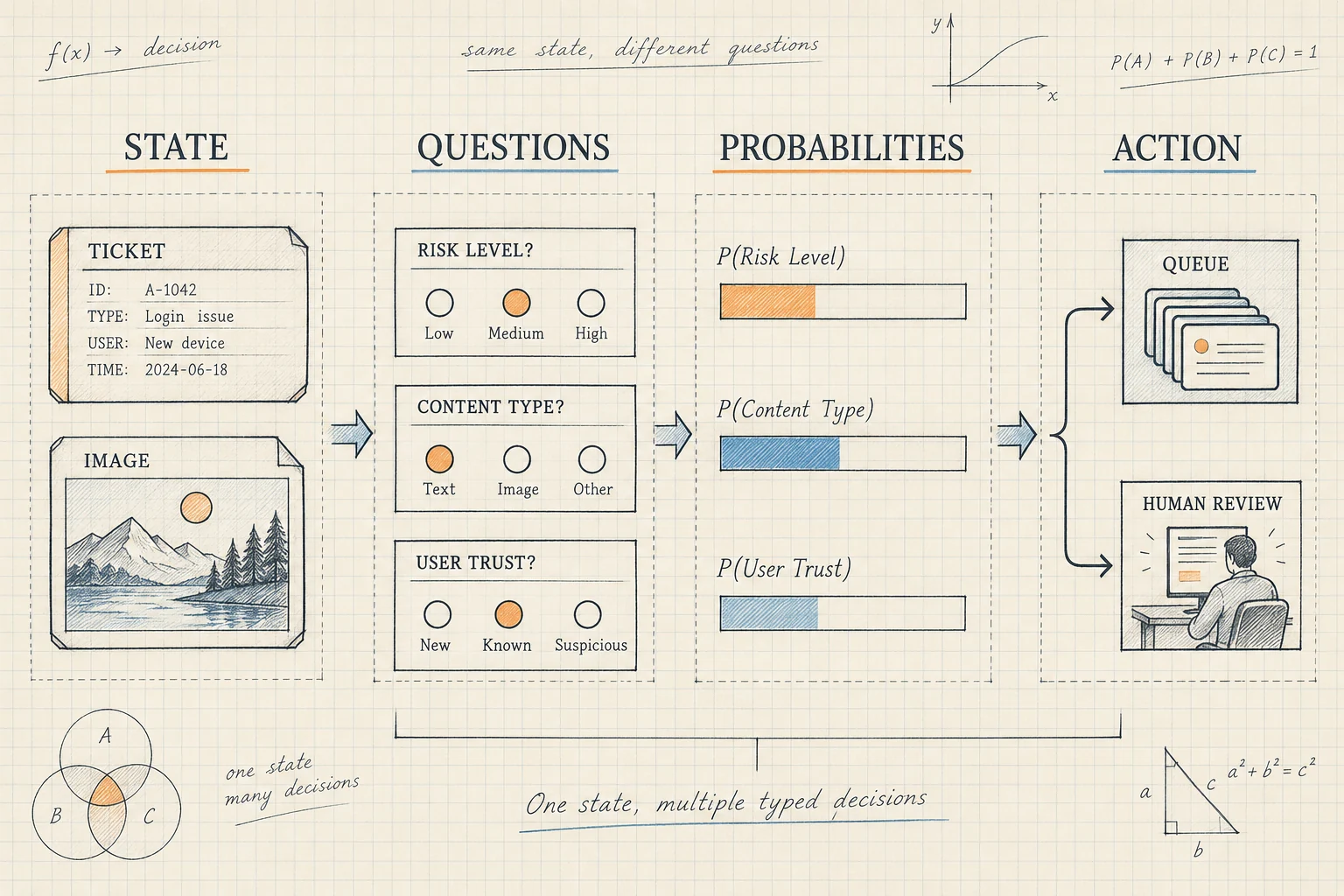
Use state for the material being evaluated. Use each question's instructions and criteria to define the judgment. Keep customer-written text out of the trusted rubric.
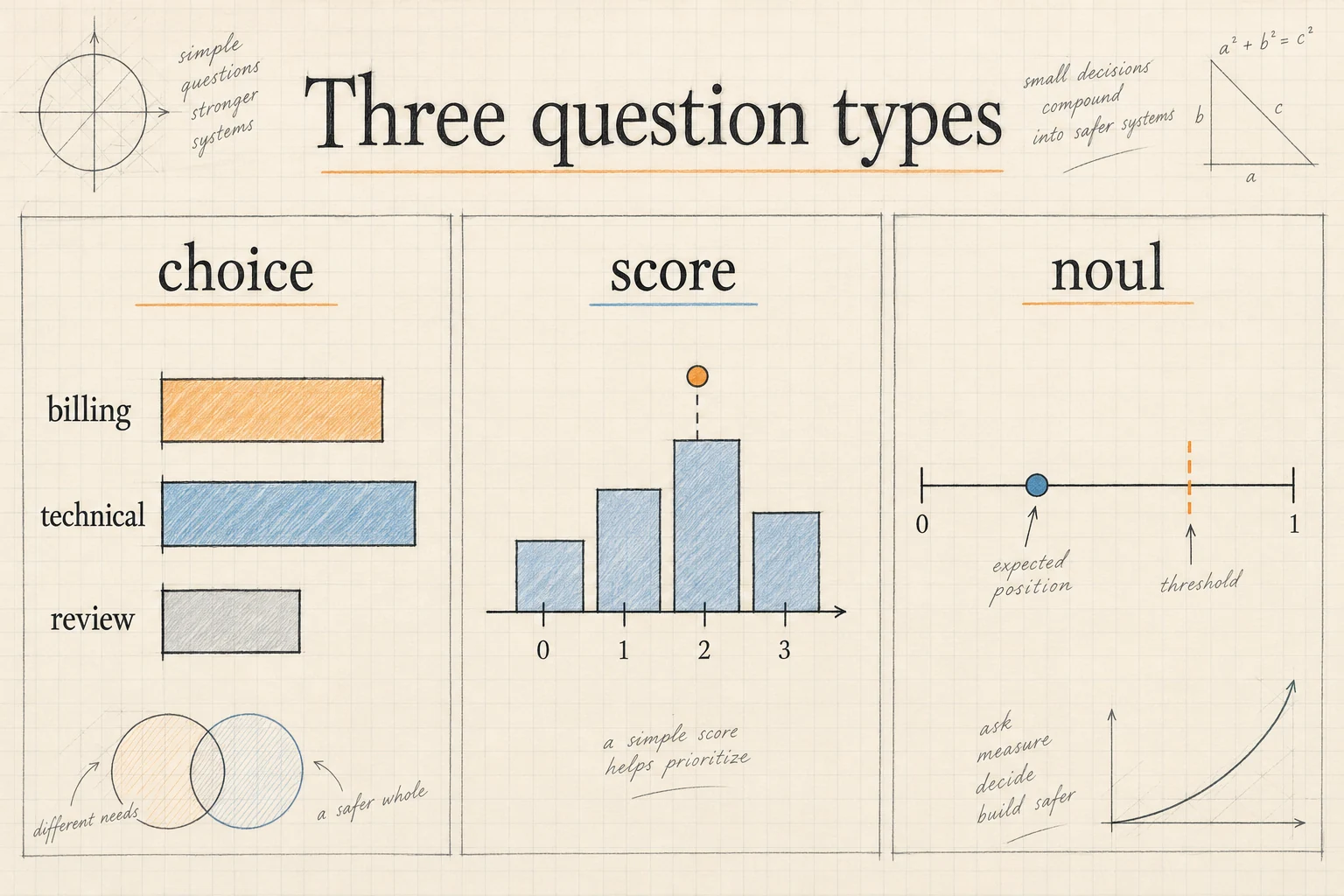
The hosted input schema requires model, state, and questions. Every question requires type and instructions; choice and score also require criteria.
| Type | Use it for | Criteria shape |
|---|---|---|
choice |
Selecting a named destination | Object mapping option IDs to descriptions |
noul |
Assessing a yes-or-no proposition | Optional descriptions of true and false |
score |
Rating an ordered impact rubric | Array ordered from lowest to highest |
Make option descriptions distinguishable. “Account access” and “payment dispute” define different ownership boundaries. “Urgent issue” and “technical issue” overlap because urgency and ownership are separate dimensions. Ask two questions when you need two dimensions.
Include a deliberate review route for missing evidence and cases outside your categories. Otherwise, every unusual request must compete for a normal destination, which can hide a flawed taxonomy behind apparently decisive output.
For state construction, include relevant context with explicit provenance. A customer's report that checkout is down differs from an observed service-health result. Timestamp volatile information, identify unknown fields, and avoid adding unrelated history simply because it is available.
Version the schema alongside the application. Changing what “major impact” means changes the task, even if the JSON keys stay identical. A stable schema version makes later comparisons interpretable.
Before connecting the API, try a few counterexamples by hand. A customer may mention a payment while asking for a password reset; another may be able to sign in but dispute a duplicate charge. Your routing definition should explain why those tickets belong to different teams. If two reviewers cannot agree using the rubric alone, refine the rubric before asking a model to apply it.
Call the Cloudflare Clef REST API
First obtain your Cloudflare Account ID and a Workers AI API token. Cloudflare's REST setup guide describes the dashboard token template; manually created tokens need Workers AI Read and Edit permissions. Store credentials in your local environment or server secret store.
Save this original example as decision.json. It asks three related questions about one ticket:
{
  "model": "clef",
  "state": {
    "ticket": "I paid yesterday, but password resets still do not let me sign in.",
    "paymentStatus": "settled",
    "serviceHealth": "unknown"
  },
  "questions": {
    "owner": {
      "type": "choice",
      "instructions": "Choose the team for the primary unresolved issue.",
      "criteria": {
        "accounts": "Sign-in, credentials, or account access",
        "billing": "Unresolved charges, refunds, or payment disputes",
        "review": "Missing evidence or no matching team"
      }
    },
    "accessBlocked": {
      "type": "noul",
      "instructions": "Does the customer report being unable to sign in?"
    },
    "impact": {
      "type": "score",
      "instructions": "Rate the disruption supported by this ticket.",
      "criteria": [
        "No current disruption",
        "Partial disruption with a workaround",
        "Customer cannot access the service"
      ]
    }
  }
}
With CLOUDFLARE_ACCOUNT_ID and CLOUDFLARE_API_TOKEN already set, send the file:
curl --fail-with-body \
  "https://api.cloudflare.com/client/v4/accounts/${CLOUDFLARE_ACCOUNT_ID}/ai/run/@cf/cloudflare/clef" \
  -H "Authorization: Bearer ${CLOUDFLARE_API_TOKEN}" \
  -H "Content-Type: application/json" \
  --data-binary @decision.json
The endpoint model and payload selector intentionally agree: @cf/cloudflare/clef pairs with "model": "clef". Start with this small request so authentication and schema errors are easy to isolate.
After the first successful request, save a sanitized response as a development fixture. Record the schema version beside it. That fixture can exercise your response handling without making a paid inference request during every interface edit.
For a production caller, set a request timeout, distinguish failed inference from uncertain answers, and define a fallback destination. Retry transient failures within a bounded budget. A retry should not cause the surrounding application to create the same support ticket twice.
Read the response correctly
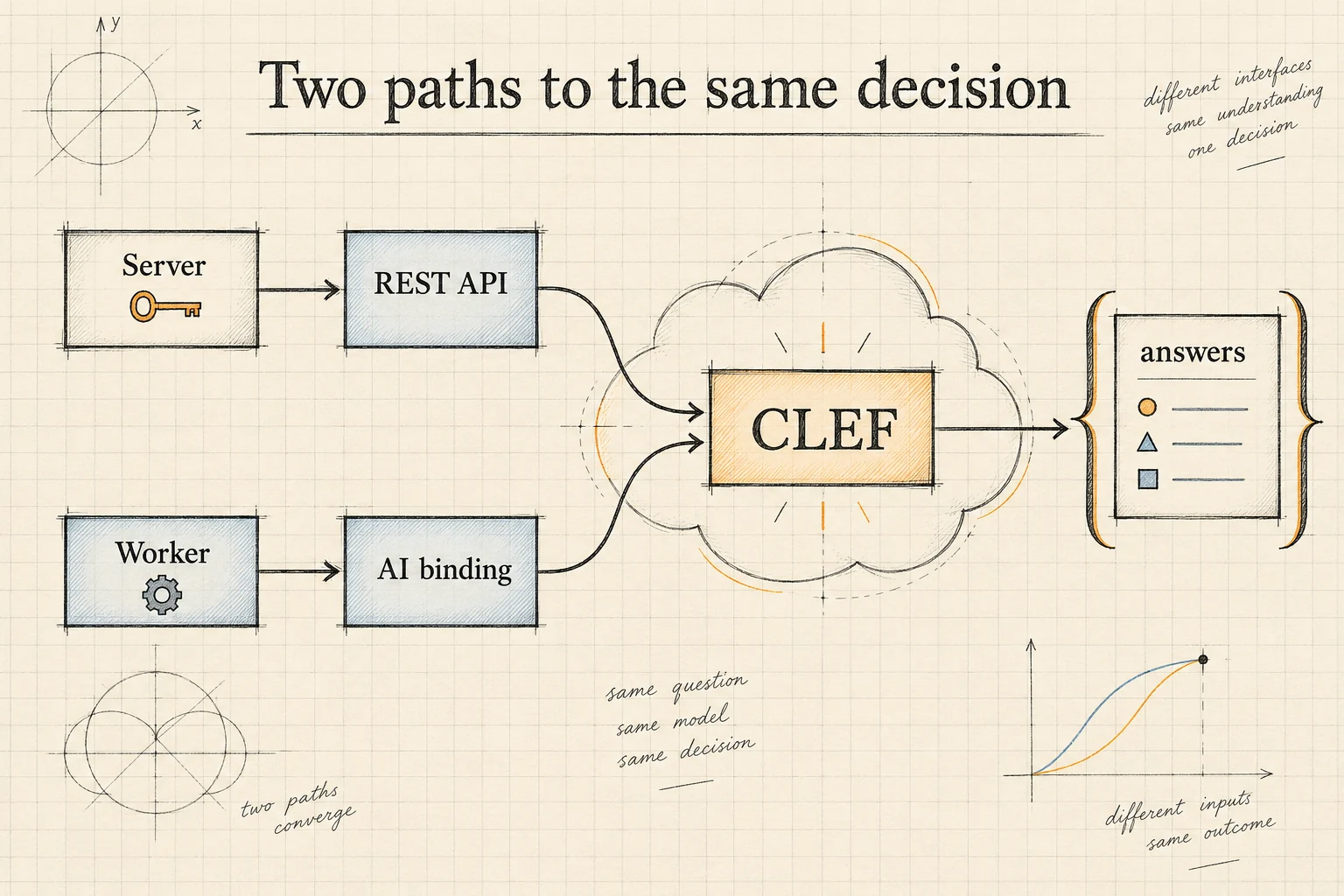
The REST API uses Cloudflare's response envelope. After checking the HTTP status and success, access model output under result. A Workers AI binding returns the model output directly.
According to the Clef output schema, these are the relevant paths:
| Value | REST response path | Worker binding path |
|---|---|---|
| Selected team | result.answers.owner.choice |
answers.owner.choice |
| Team probabilities | result.answers.owner.probabilities |
answers.owner.probabilities |
| Reported access blockage | result.answers.accessBlocked.noul |
answers.accessBlocked.noul |
| Expected impact level | result.answers.impact.score |
answers.impact.score |
| Input usage | result.usage.input_tokens |
usage.input_tokens |
A noul answer is an object containing a numeric noul field, not a bare Boolean. Choice and score answers also include confidence. Scores are probability-weighted level indices and can fall between levels.
For example, a synthetic impact distribution of 0.10, 0.20, and 0.70 over levels 0, 1, and 2 yields 1.60. That value is neither a severity label nor a 160% risk estimate. Your policy must translate it into whatever operational meaning you need.
Validate expected question IDs and answer types before routing. Treat absent or malformed fields as an integration failure, with a separate log category from an ordinary review classification. This distinction helps you determine whether to repair application code or improve the decision design.
Use Clef inside a Cloudflare Worker
In an existing Worker project, merge an AI binding into your Wrangler configuration:
{
  "ai": {
    "binding": "AI"
  }
}
Copy the earlier decision.json next to the Worker entry file. This JavaScript example imports that fixed payload and returns a routing recommendation:
import decisionInput from "./decision.json";

export default {
  async fetch(_request, env) {
    try {
      const result = await env.AI.run(
        "@cf/cloudflare/clef",
        decisionInput
      );
      const owner = result.answers?.owner;
      const allowed = ["accounts", "billing", "review"];
      const probability = owner?.probabilities?.[owner.choice];

      if (
        owner?.type !== "choice" ||
        !allowed.includes(owner.choice) ||
        typeof probability !== "number" ||
        probability < 0 || probability > 1
      ) {
        throw new Error("Unexpected owner answer");
      }

      // Illustrative threshold: replace after evaluation.
      const route = probability >= 0.85 ? owner.choice : "review";
      return Response.json({ route, probability });
    } catch {
      return Response.json(
        { route: "review", error: "Decision unavailable" },
        { status: 503 }
      );
    }
  }
};
The Workers bindings guide explains configuration and local development with npx wrangler dev. Workers AI inference still uses Cloudflare resources during local development and can incur charges.
This fixture endpoint demonstrates the binding, response access, and fallback. Integrating real tickets requires your application's existing authentication, input validation, and request limits. Build the trusted question schema on the server; accept ticket evidence through a bounded input shape rather than exposing an unrestricted inference proxy.
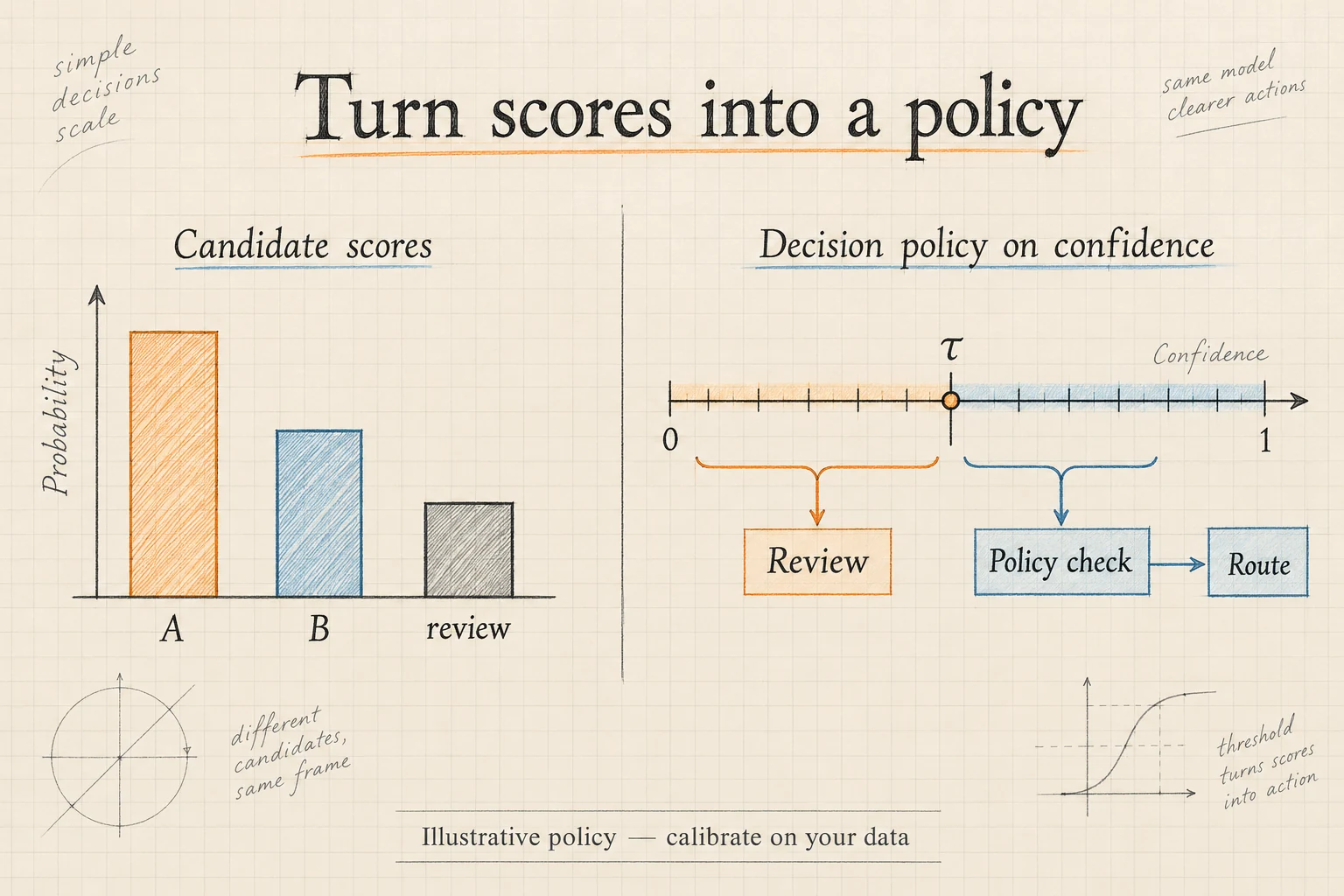
The 0.85 cutoff illustrates where policy belongs. It is not a Clef default or an experimentally validated recommendation. The next step is to replace it with a threshold selected from your own evaluation.
Set thresholds using your own evidence
A high probability is useful only if it predicts reliable outcomes for the cases you receive. Do not interpret the separate confidence field as an independently verified success rate. Choose the statistic your policy will use, document it, and evaluate that exact policy.
For queue routing, begin with the selected option's probability. You can also inspect the gap between the largest and second-largest probabilities. A close contest between accounts and billing may reveal genuinely mixed intent; it may also reveal poorly separated category descriptions.
Build a labeled validation set and compare several candidate thresholds. For each one, measure routing accuracy among automatically handled tickets and the fraction sent to review. Raising a threshold usually trades coverage for selectivity, but the useful operating point depends on your data and error costs.
Consider a synthetic validation set of 1,000 tickets. One threshold automatically routes 800 tickets, with 720 correct: 80% coverage and 90% accuracy among routed cases. A stricter threshold routes 500, with 480 correct: 50% coverage and 96% routed accuracy. Neither policy is universally better. Compare the cost of additional review with the cost of sending a customer to the wrong team. Also inspect which categories disappear from automatic handling as the threshold rises; aggregate improvement can conceal uneven service.
For calibration, group predictions into probability bands and compare predicted likelihood with observed correctness. If predictions around 0.90 are correct only 70% of the time, the probability values are overconfident on that sample. Keep calibration work separate from the final held-out evaluation.
Use separate policies for different actions. Misrouting a ticket and changing an account credential have different consequences. Our prompt safety workflow discusses decision checks that can sit alongside explicit execution controls.
Add images and understand self-hosting
For hosted visual decisions, add images to the request using embedded data URLs or objects containing content_type and base64. The hosted input contract accepts PNG, JPEG, and WebP; ordinary remote image URLs are not accepted. It specifies at most four images, 4 MiB and 16 megapixels per image, 8 MiB combined decoded size, and a 13 MiB request-body limit.
A practical first task is deciding whether a screenshot visibly contains a login error. Pair the image with a focused question and relevant context. If your application requires exact extracted numbers, verify extraction before applying arithmetic rules.
The Hugging Face model card describes a different execution path: download the release, load its backbone and joint schema head, and use the supplied joint_schema_model helpers. Its examples use load_release_model and systemone. The release carries an Apache-2.0 license, and its documented test environment uses a single H200 with PyTorch 2.11 and Transformers 5.10.2.
The local helpers also describe PIL images and video frame arrays. That does not establish hosted video support: the current hosted schema documents images, not a video request field. Their default encoding limit is 16,384 tokens, distinct from the hosted context window; check the configuration for your deployment.
Choose self-hosting when control over the serving environment justifies operating it. Budget for GPU memory, batching, monitoring, and upgrades. For an initial integration, the hosted API reduces the number of systems you need to diagnose at once.
Estimate Cloudflare Clef costs
The Workers AI pricing table lists Clef at $0.24 per million input tokens and Clef-flash at $0.09 per million input tokens, as checked on October 3, 2026.
For an illustrative workload of 100,000 requests averaging 1,200 input tokens each, input usage totals 120 million tokens. Applying the listed rates gives $28.80 for Clef or $10.80 for Clef-flash. These calculations cover model input charges before allowances and other platform costs; they are not a complete monthly invoice estimate.
Use reported usage from representative requests to replace the assumed average. Long ticket histories, detailed rubrics, retries, and visual inputs can change the workload. Track the expense of human review too: cheaper inference is not necessarily a cheaper workflow if it creates more manual work.
Compare models on identical labeled cases, using the same acceptance policy. To try Clef-flash, change both the endpoint identifier to @cf/cloudflare/clef-flash and the body selector to "model": "clef-flash". Record latency and quality alongside cost rather than selecting exclusively by the token rate.
Fix common integration mistakes
Most early failures belong to one of four categories:
| Symptom | First thing to inspect |
|---|---|
| Authentication failure | Account ID, token scope, and environment loading |
| Request validation failure | Required instructions, criteria shapes, and model selector |
| JavaScript reads undefined answers | REST envelope versus direct binding output |
| Plausible but unsuitable decisions | Evidence quality, overlapping options, and missing review route |
Do not send a chat-style messages payload merely because another Workers AI model accepts one. Use Clef's documented decision contract. Likewise, avoid parsing answers.owner as a string or expecting a prose explanation in a chat completion field.
For long records, select relevant evidence deliberately. The hosted model page lists a 65,536-token context window and notes that long text state is truncated. Preserve the facts necessary for the decision before reaching that boundary.
When predictions look wrong, inspect one case end to end: the exact evidence sent, the schema version, the complete distribution, and the final application rule. Changing the model first can leave the original data or policy error untouched.
Evaluate and roll out the workflow
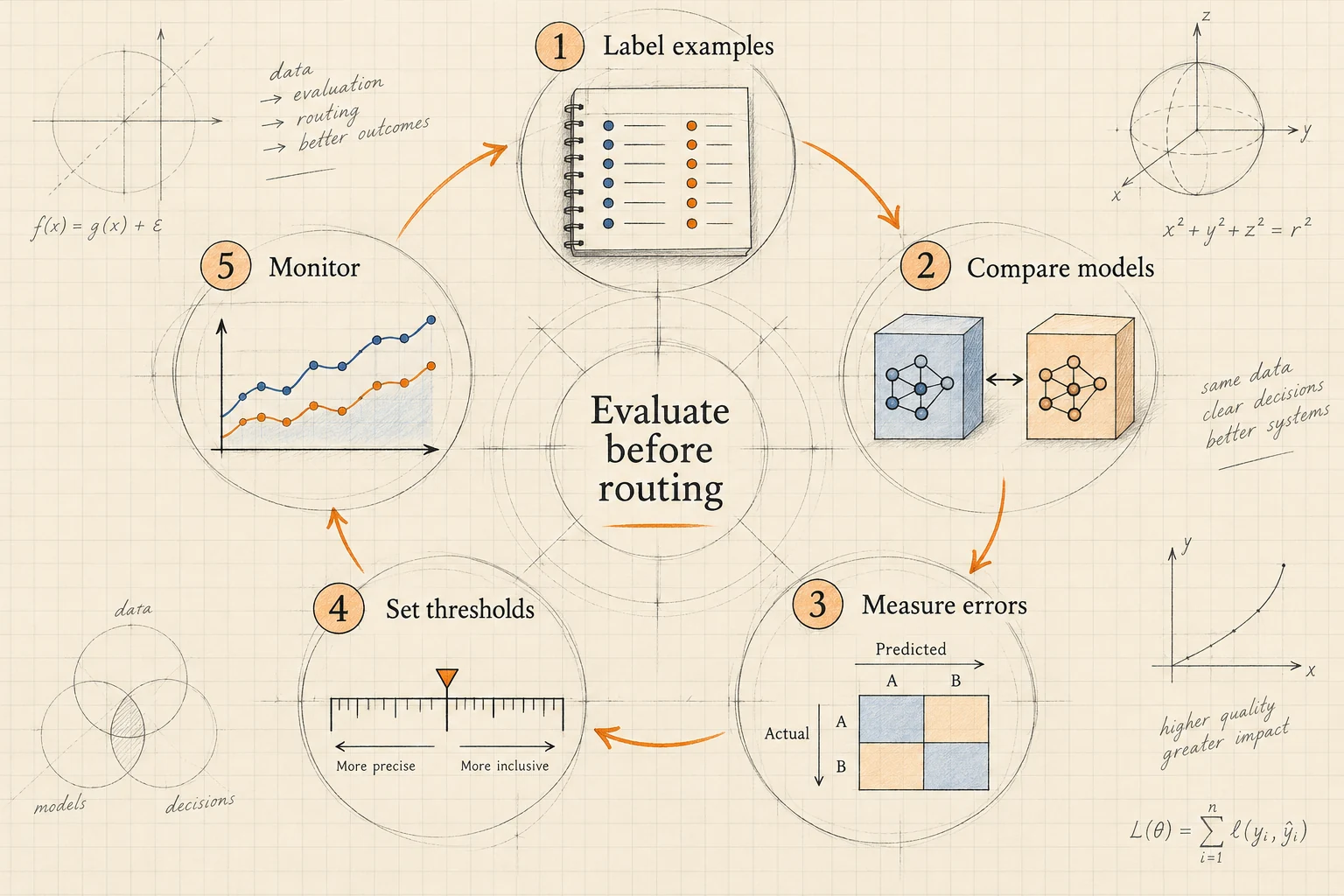
Start with historical tickets that reflect the routes, languages, and missing-information patterns you expect. Label the primary unresolved issue independently of the model output. Resolve reviewer disagreements before treating those labels as a dependable reference.
Split the collection into development, validation, and held-out sets. Use development cases to improve the schema, validation cases to set thresholds, and the held-out set for the final decision about release. Avoid placing near-duplicate tickets from the same conversation across those sets.
Track at least routing correctness, review rate, per-route errors, response latency, inference failures, and cost per accepted decision. Inspect rare routes separately; a strong overall average can hide repeated mistakes on a small but important category.
Keep a small error ledger with a reason for each reviewed failure: missing evidence, ambiguous rubric, model mistake, or application-policy mistake. Those categories suggest different repairs. Add the corrected case to a regression collection, but do not repeatedly tune against your final held-out set. A simple deterministic baseline is also valuable: it tells you whether the new inference step improves the workflow enough to justify its complexity.
Run shadow mode before automatic routing: record what Clef would choose while existing operations continue. Compare those recommendations with actual outcomes. Then enable a narrow, reversible slice of traffic and retain an immediate fallback.
Store the model identifier, schema version, decision policy, and input provenance with each result. Review drift when products, support categories, or customer language change. The Jev documentation hub provides related material for applications built around typed decisions.
Frequently asked questions
Can I use Cloudflare Clef without deploying a Worker?
Yes. Use the account-scoped REST endpoint with a Workers AI token. A Worker becomes useful when you want the decision call next to request handling and application policy.
Should I use choice or several noul questions?
Use choice when the application must select one destination from competing options. Use separate noul questions when several independent conditions may all be true. Define whether those conditions can overlap before interpreting their results.
Is Clef a replacement for a chat model?
Use it for decisions with specified answers. If the next step is composing an email, combine the selected route and verified context with an appropriate generation workflow. Keep its output subject to the same application rules.
Does a high score mean the model is confident?
No. A high impact score means the probability mass favors higher rubric levels. Confidence describes another property of the distribution. Check the actual probabilities and evaluate whichever statistic controls your action.
What should I build first?
Implement one decision, one explicit fallback, and a small labeled evaluation set. Once you can explain failures and measure acceptable coverage, expand the schema or add another workflow.