AI Agents
Jev AI API & AI Agents: A Practical Guide to Reliable Agent Workflows
Learn how to connect the Jev AI API to an AI agent for typed decisions, model routing, tool-call guardrails, and human review without giving up application control.
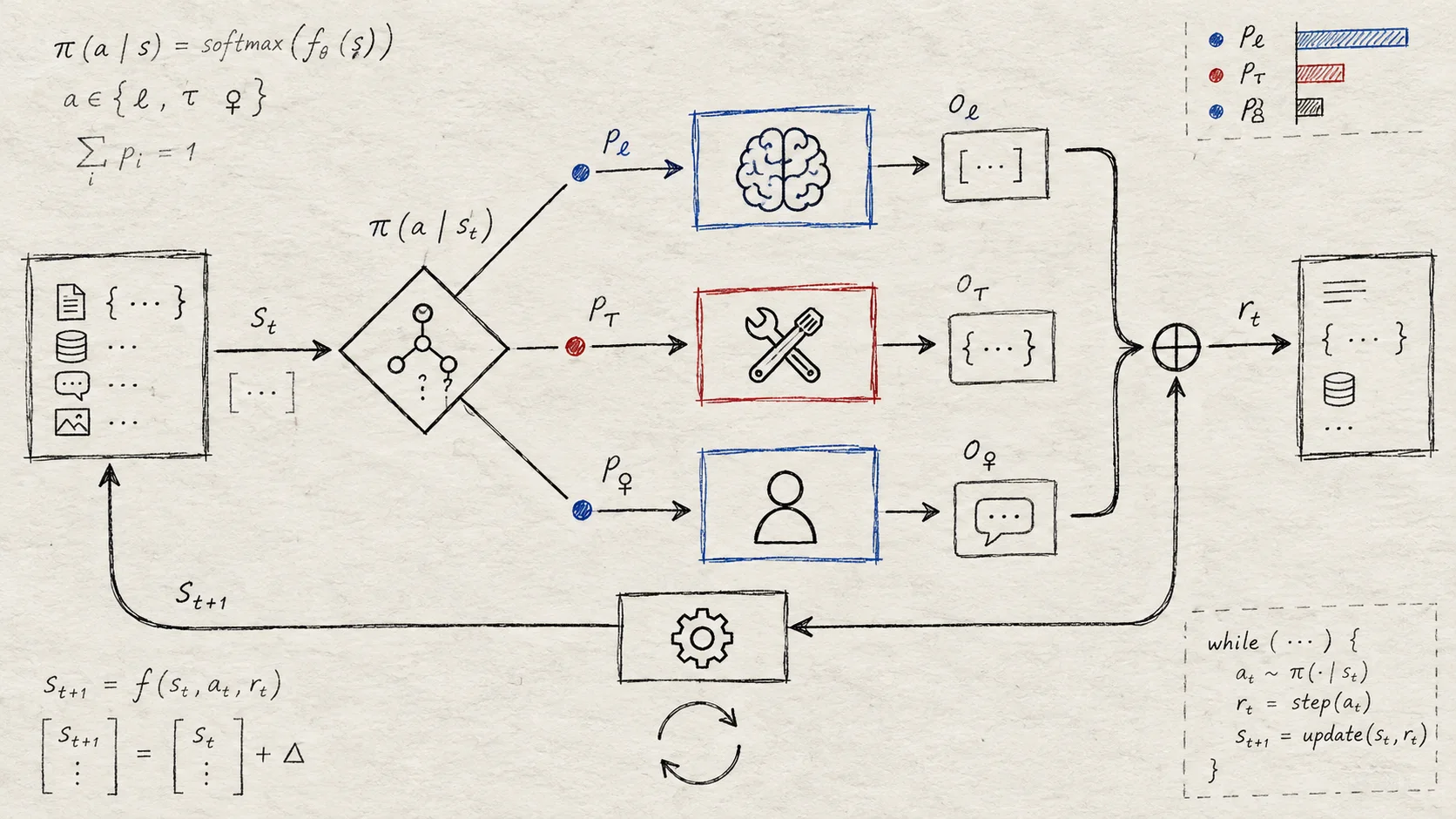
An AI agent needs more than a language model that can generate a plausible answer. It also needs to decide which model to call, whether a tool is safe to use, when more context is required, and when a person should take over. The Jev AI API is designed for this decision layer: send state and typed questions, then use structured answers inside application code.
This guide explains how to connect the Jev AI API to an AI agent, starting with a single bounded decision and ending with routing, tool-call guardrails, and human review. If you are new to the model itself, begin with the Jev AI model usage guide before applying the agent patterns below.
Table of contents
- Why Jev AI belongs in an agent architecture
- A minimal architecture
- Step 1: Define decisions before tools
- Step 2: Shape state and questions
- Step 3: Call the Jev AI API
- Step 4: Connect answers to the agent loop
- Step 5: Add the Jev Agent Skill
- Tool-call guardrails
- Human review and evaluation
- Production checklist
- Frequently asked questions
Why Jev AI belongs in an agent architecture
An agent workflow usually contains at least two different jobs:
- Generation and reasoning — interpret a request, draft content, summarize information, or plan a sequence of actions.
- Bounded decisions — select a route, score risk, check a condition, or decide whether a tool call needs approval.
Generative LLMs are useful for the first job. Jev is useful for the second. It returns typed decisions that an application can consume directly instead of asking code to parse a paragraph or trust an unconstrained JSON response.
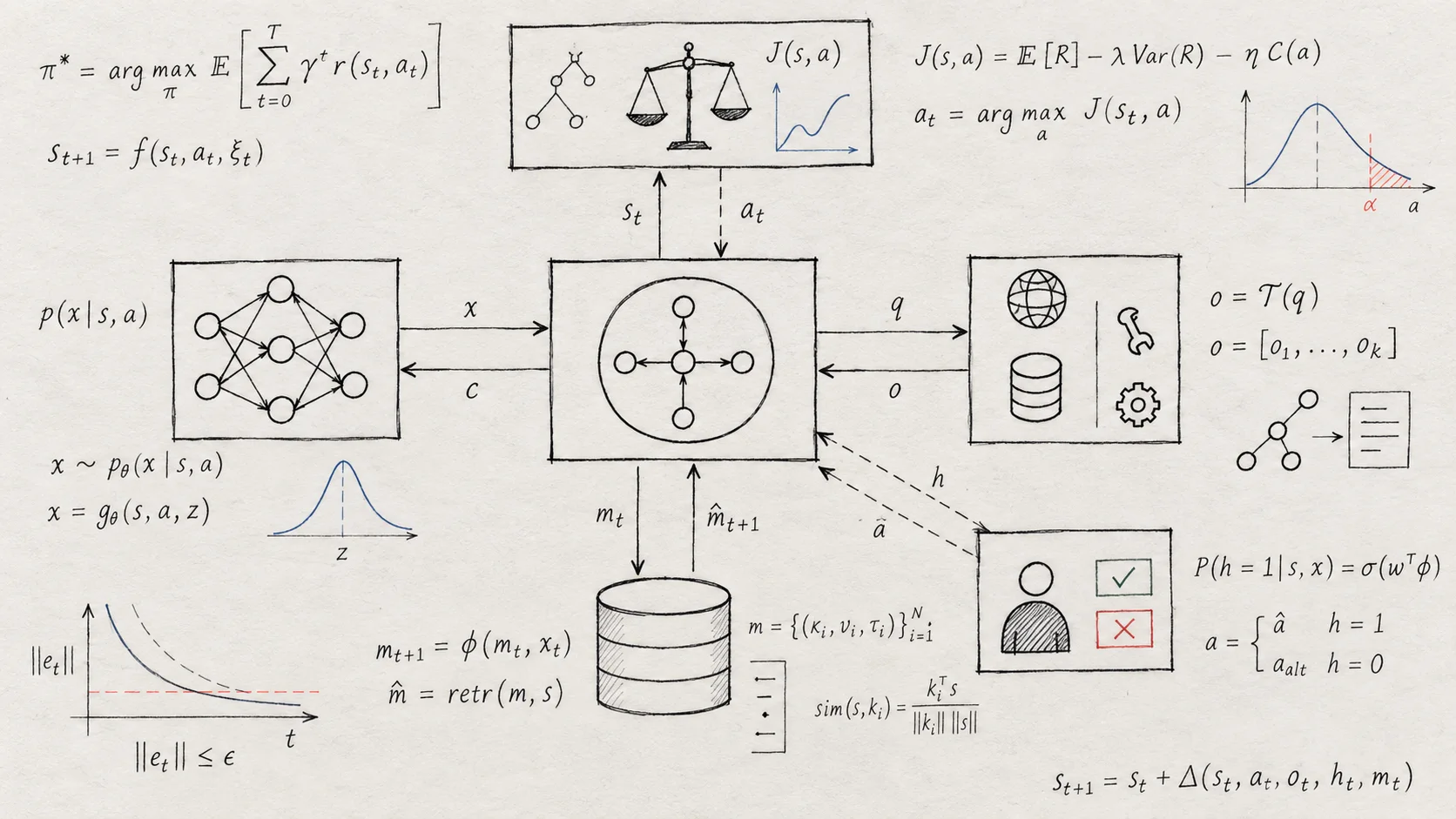
The distinction matters because an agent should not let the same open-ended model write a plan and silently authorize every action in that plan. A separate decision layer makes the boundary explicit:
- the agent can propose an action;
- Jev can judge a bounded condition;
- application code can enforce permissions and choose the final action.
This is not about adding a model call to every step. It is about isolating the decisions where an incorrect action would be expensive, unsafe, or difficult to audit.
A minimal architecture for Jev AI agents
A practical Jev-powered agent can be organized into five components:
| Component | Responsibility |
|---|---|
| Agent orchestrator | Maintains the loop, context, and next-step plan |
| Jev AI API | Answers typed questions about the current state |
| Generative model | Writes, summarizes, reasons, or creates a plan |
| Application permissions | Decides which tools and actions are allowed |
| Human review | Handles uncertain or high-impact cases |
The orchestrator should pass the smallest useful state to Jev. That state might include a user request, tool arguments, account policy, previous verification results, or the current step in a workflow. Jev does not need to own the entire agent transcript if the decision can be answered from a focused object.
Step 1: Define decisions before tools
Before integrating the API, list the decisions your agent makes repeatedly. The best first use cases have a clear answer space and a clear next action.
Model routing
Use Choice to decide whether a request should go to a fast model, a deeper reasoning model, a retrieval flow, or a fallback path. The agent can then call the selected model in code.
Tool-call risk
Use Noul to ask whether a proposed action is sensitive or requires approval. Examples include deleting records, sending external messages, changing account settings, or initiating a payment.
Task severity and priority
Use Score when the agent needs an ordered level such as low, medium, high, or critical. The score can drive queue priority without forcing the generative model to invent a numeric value.
Completion and context checks
Use a typed question to decide whether the current state contains enough evidence to continue, whether a long-session result should be preserved, or whether the agent should ask the user for clarification.
Avoid a first question such as “What should the agent do?” That answer is too open-ended to enforce safely. Prefer “Which approved route applies?” or “Does this exact tool call require human approval?”
Step 2: Shape state and questions
The Jev API accepts state as text, a JSON object, or an array of text. For agents, a JSON object is usually the clearest starting point because it separates the user request, proposed action, policy, and evidence.
{
  "state": {
    "user_request": "Please remove all duplicate contacts from the workspace.",
    "proposed_tool": "delete_contacts",
    "record_count": 1842,
    "has_backup": false,
    "policy": "Destructive bulk actions require approval"
  },
  "model": "jev-latest",
  "questions": {
    "route": {
      "type": "choice",
      "instructions": "Which execution path is appropriate?",
      "criteria": {
        "proceed": "The action is allowed and can run automatically",
        "confirm": "Ask the user or an operator for confirmation",
        "reject": "The action violates policy or is not supported"
      }
    },
    "needs_human": {
      "type": "noul",
      "instructions": "Does this proposed action require human approval?"
    }
  }
}
Keep each question atomic. Multiple questions can share the same state and are evaluated in parallel, so one request can return a route, a risk signal, and a review signal without chaining three separate calls.
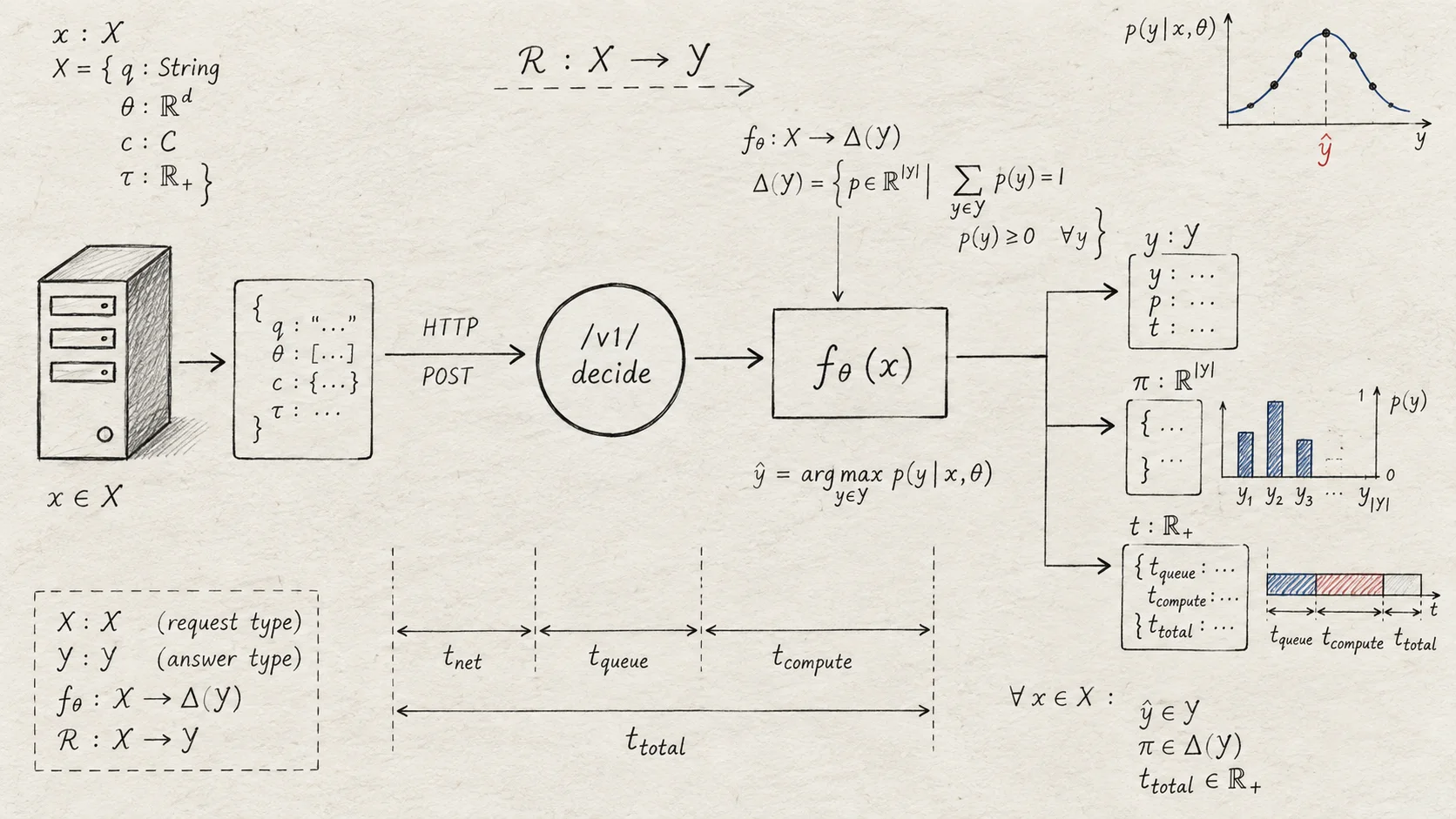
Use the three question types deliberately:
Choiceselects one option from a predefined set.Scorerates the state against an ordered low-to-high rubric.Noulreturns the probability that a focused proposition is true.
The question key is chosen by your application and is reused in answers. Keep keys stable so logs, metrics, and downstream code remain easy to compare across versions.
Step 3: Call the Jev AI API
Once the state and questions work in the Jev AI Playground, connect them to your server. The evaluation endpoint is:
POST https://thejevai.com/v1/systemone
The request needs a Bearer API key, application/json, and three top-level fields: state, model, and questions. The current API reference uses jev-latest as the flagship model name.
curl -X POST https://thejevai.com/v1/systemone \
  -H "Authorization: Bearer $JEV_API_KEY" \
  -H "Content-Type: application/json" \
  -d '{
    "model": "jev-latest",
    "state": {
      "user_request": "Please remove all duplicate contacts from the workspace.",
      "proposed_tool": "delete_contacts",
      "has_backup": false,
      "policy": "Destructive bulk actions require approval"
    },
    "questions": {
      "route": {
        "type": "choice",
        "instructions": "Which execution path is appropriate?",
        "criteria": {
          "proceed": "Allowed and safe to run automatically",
          "confirm": "Needs user or operator confirmation",
          "reject": "Not allowed or not supported"
        }
      },
      "needs_human": {
        "type": "noul",
        "instructions": "Does this proposed action require human approval?"
      }
    }
  }'
Keep JEV_API_KEY in a server-side environment variable. Never put it in browser code, an agent transcript, a public prompt, or a repository. The API response includes one typed answer for each question key, along with probability and confidence fields where the question type supports them.
Step 4: Connect answers to the agent loop
Jev returns a signal; the orchestrator and application permissions still own execution. A simple routing boundary can look like this:
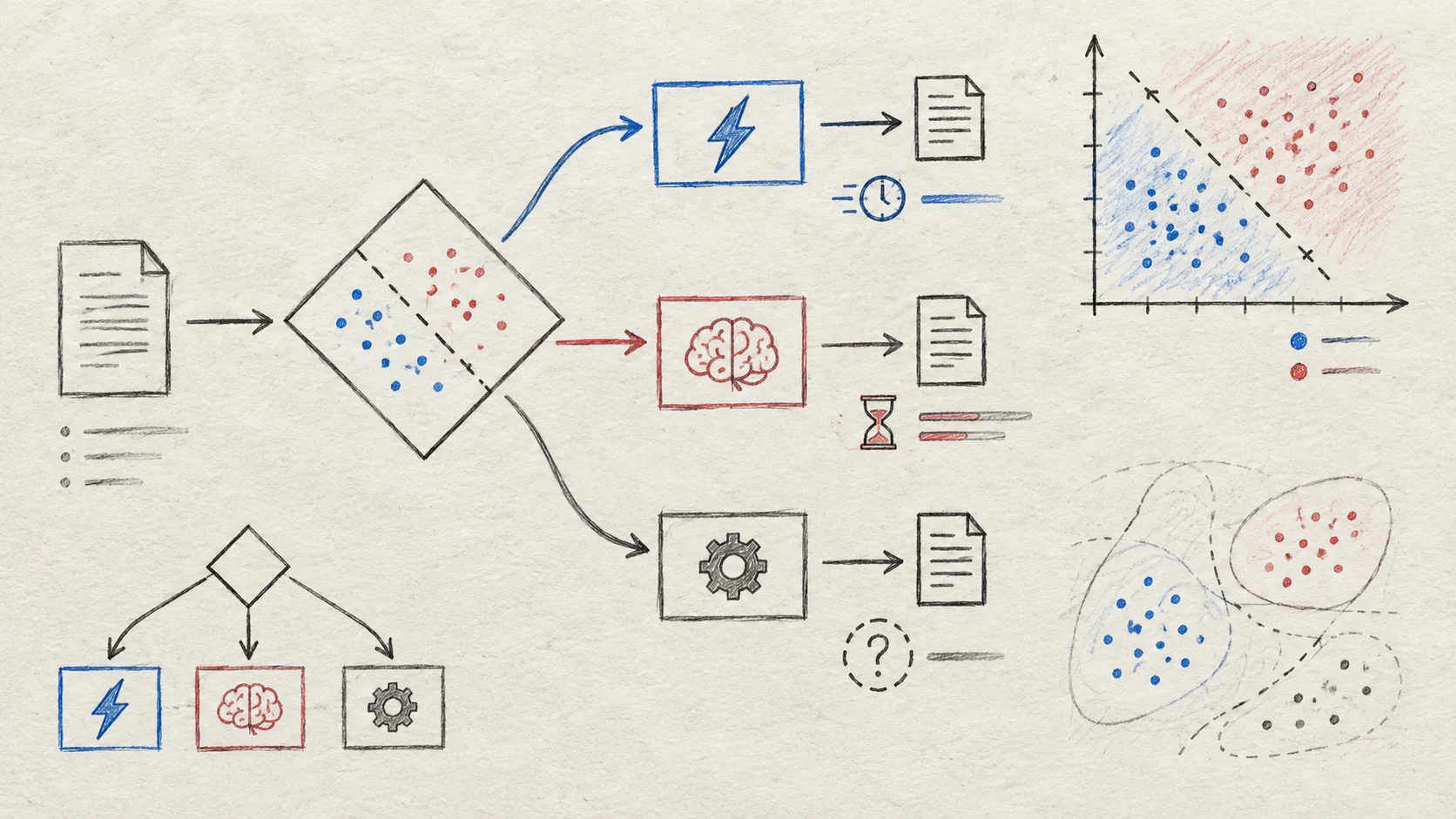
const route = result.answers.route.choice;
const humanProbability = result.answers.needs_human.noul;

if (route === 'reject') {
  return respondSafely('This action is not allowed.');
}

if (route === 'confirm' || humanProbability >= 0.8) {
  return queueForHumanReview({ ticketId, result });
}

if (route === 'proceed') {
  return executeAllowedTool({ name: proposedTool, args, requestId });
}

return askForMoreContext();
Keep the final tool call behind deterministic checks. Validate the tool name, arguments, user permissions, resource scope, and request ID in application code even when Jev returns a high-probability approval.
Step 5: Add the Jev Agent Skill
For coding agents and compatible agent environments, the official Jev Agent Skill provides a reusable way to ask bounded decisions while keeping execution in the host application. Install it with:
npx skills add jev-ai/jev-agent-skill
Configure the key and language in the environment:
export JEV_API_KEY="sk_your_key_here"
export JEV_LANGUAGE="en-US"
The skill can guide an agent to choose Choice, Score, or Noul, send the smallest useful state, and interpret the structured result. It does not grant Jev permission to execute a payment, delete data, or bypass the host's approval system.
Use the Jev AI documentation for the current API fields, Agent Skill onboarding, response shape, and error behavior. Treat the skill as a decision interface, not as a replacement for application-level authentication and permissions.
Tool-call guardrails
An agent should not infer authorization from generated text. Before a tool executes, check the proposed intent, policy, scope, and risk. Jev can provide a typed signal for that check, while the application enforces the rule.
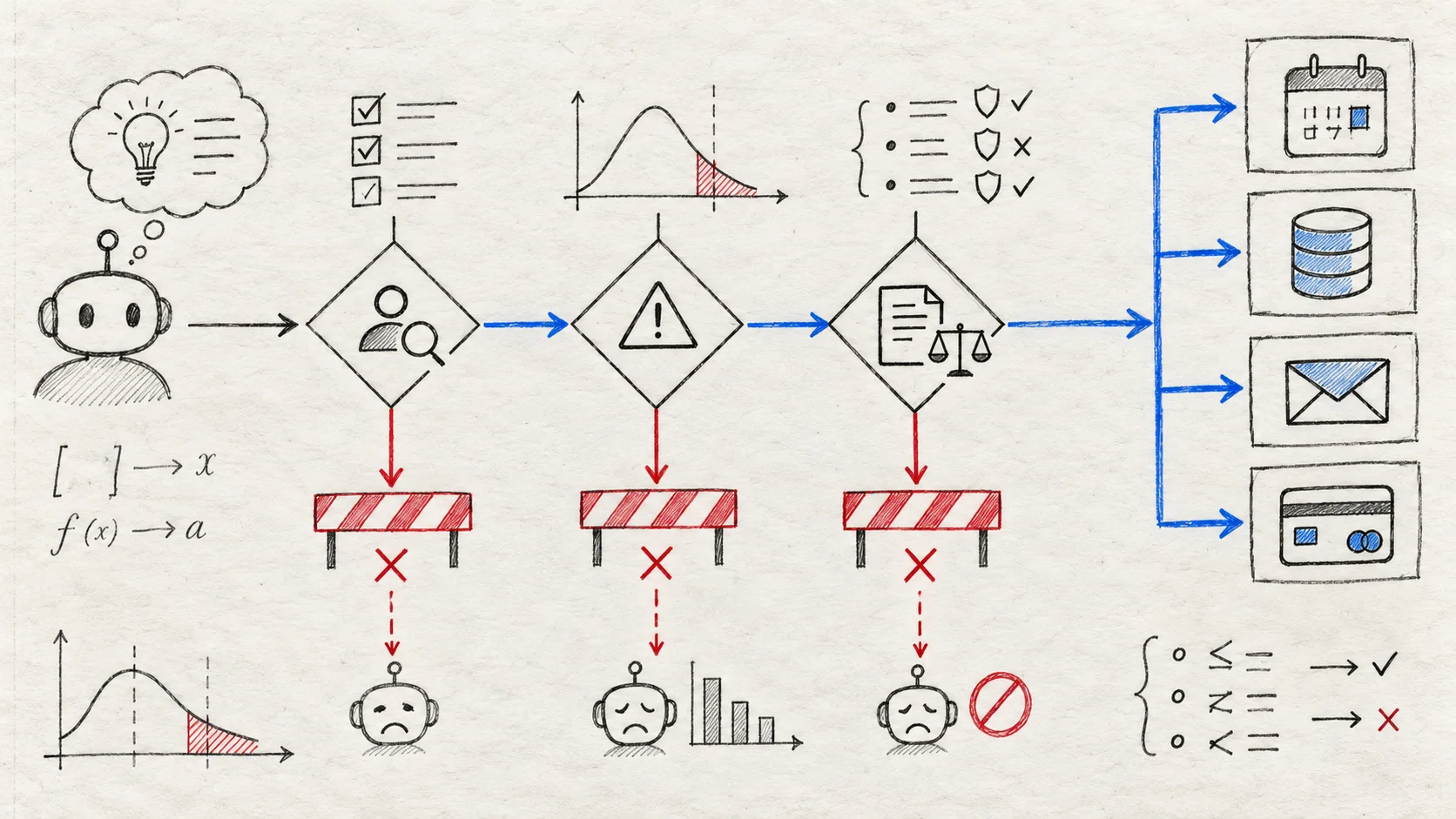
A useful guardrail pipeline is:
- Normalize the proposed tool name and arguments.
- Ask Jev a narrow risk or approval question.
- Apply deterministic allowlists and permission checks.
- Route uncertain cases to confirmation or human review.
- Execute the tool with an idempotency key and an audit record.
For destructive or external actions, require agreement between multiple controls rather than trusting one probability threshold. The policy layer should be able to reject an action even when a model signal looks confident.
Human review and evaluation
Probability and confidence are useful routing signals, not guarantees of business accuracy. Use historical examples to select thresholds and monitor false positives, false negatives, and review volume after launch.
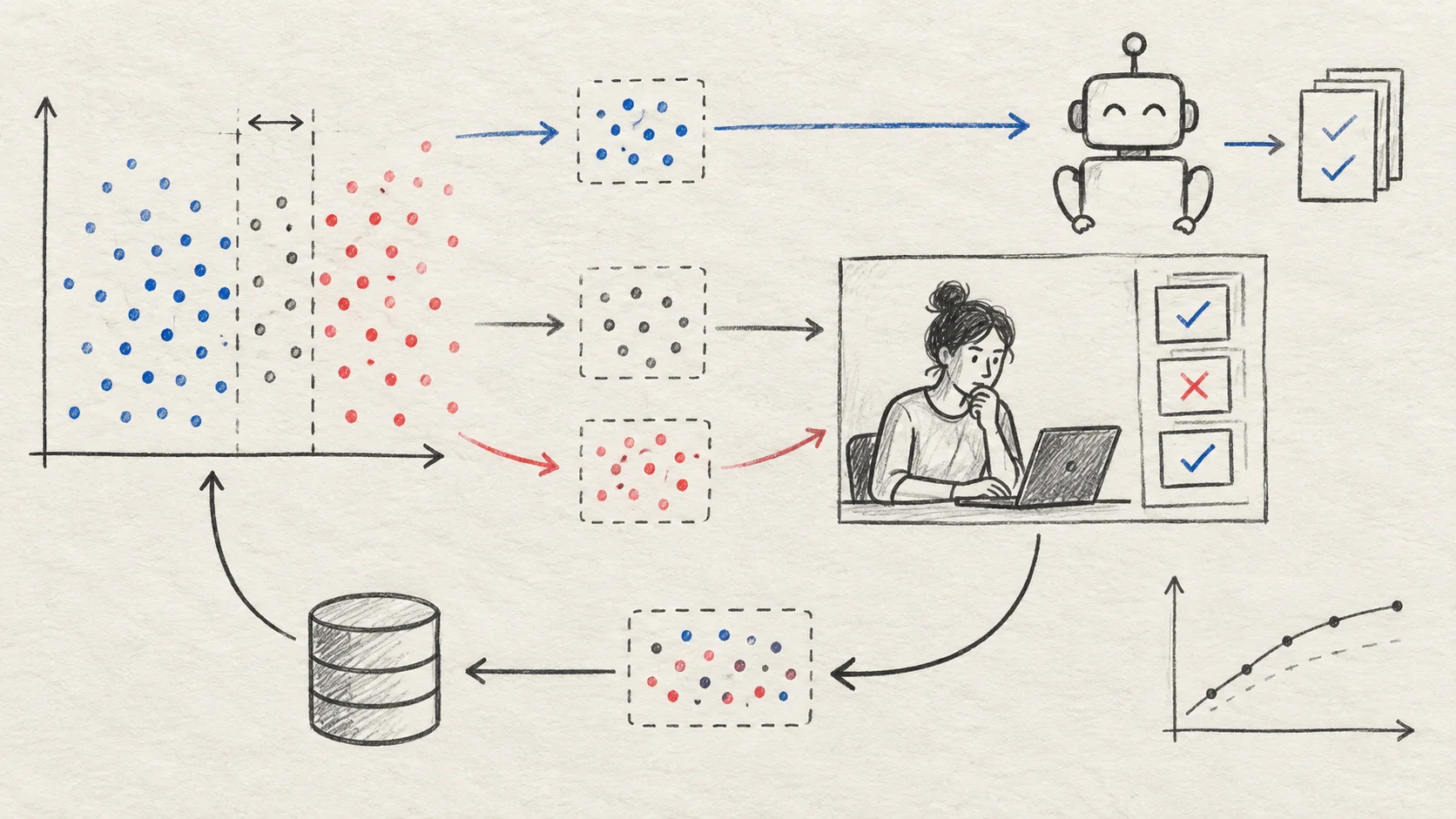
A practical policy is:
- high-confidence, low-impact cases → continue automatically;
- ambiguous or unfamiliar cases → request more context;
- high-impact or destructive actions → require approval;
- unsupported or malformed input → fail safely.
Store enough metadata to reproduce a decision: question version, state schema version, selected answer, probabilities, confidence, final action, and whether a human changed the outcome. Do not log API keys or unnecessary personal data.
Production checklist
Before shipping a Jev AI API and agent integration, verify:
- The agent decisions have bounded answer spaces.
- State contains only the context required for each question.
Choice,Score, andNoulare used for the right decision shapes.- The API key is server-side and excluded from agent transcripts.
- Timeouts, retries, rate limits, and API errors have safe fallbacks.
- Tool names and arguments are validated outside the model.
- High-impact operations require permissions and, where appropriate, human approval.
- Every tool call has an idempotency strategy and audit trail.
- Thresholds are tested on representative and adversarial examples.
- Evaluation data is separated from production secrets and personal data.
- Logs can connect the Jev answer to the final application action.
Frequently asked questions
Is the Jev AI API another chat completion API?
No. The API evaluates a state against typed questions and returns structured answers. It is intended to become a decision inside an application rather than a chat transcript for a person to interpret.
Should Jev replace the LLM in my agent?
Usually not. Use a generative model for language-heavy work and Jev for bounded classification, routing, scoring, and safety decisions. The two can work together in one orchestrated workflow.
Does the Agent Skill execute tools for me?
No. It helps a compatible coding agent ask Jev bounded questions. Your agent host, application permissions, deterministic policy checks, and human approvals should retain control of the final action.
Can I ask multiple agent questions in one request?
Yes. Multiple questions can read the same state and are evaluated in parallel. This is useful when the agent needs a route, a risk score, and a human-review signal before deciding what to do next.
Final takeaway
The best way to combine the Jev AI API and an AI agent is to give each component a clear responsibility. Let the agent and LLM handle interpretation and planning. Let Jev answer small, typed, probability-backed questions. Let application code enforce permissions and execute the final action.
Start with one low-risk workflow, validate it in the Playground, connect it through /v1/systemone, and add routing, tool guardrails, and human review one boundary at a time. That produces an agent that is easier to test, safer to operate, and more predictable in production.